
Practical notes from real client work
SharePoint architecture, Microsoft 365 Copilot and AI workflows. Written from what's running in real tenants, not from the roadmap.
Two Ways to Launch a Copilot Interactive Form in SharePoint
Put a Copilot interactive form behind a quick step on the library or a button on your home page. Both can call the same skill, so nobody has to remember a prompt, and your end users get a really nice experience.
20 November 2026 · 7 min read
D3.js in SharePoint: Turn a List Into an Animated Story With Copilot
Copilot in SharePoint can now use D3.js, which means a view on your list can tell a story about the data in it. Here's how I built a help desk request race in five prompts.
19 November 2026 · 6 min read
Add Shortcut to OneDrive: Get to Your SharePoint Files From One Place
In the midst of everything AI, the SharePoint fundamentals still bring a stack of value. This one puts the folders and files you're working on, from any site, into one place in your OneDrive.
18 November 2026 · 7 min readIgnite 2026: Four Ways Copilot in SharePoint Puts Your Content to Work
Microsoft's SharePoint team used Ignite 2026 to sort Copilot in SharePoint into four jobs, and they brought numbers. Those numbers make tidying your content a cost decision, which changes who in your organisation should care about it.
18 November 2026 · 8 min read
A Custom Interface for Your SharePoint List: HTML Views Plus Copilot Forms
Think of an HTML view as a custom interface on top of your list. Here are the prompts for a view built around a job, the interactive form that makes the changes, and the skill that joins them.
17 November 2026 · 14 min read
--agenttools: See Every Tool Copilot in SharePoint Can Use
A lot of the questions I get are about what Copilot in SharePoint can do. Type --agenttools into the chat pane and it tells you, tool by tool.
15 November 2026 · 6 min read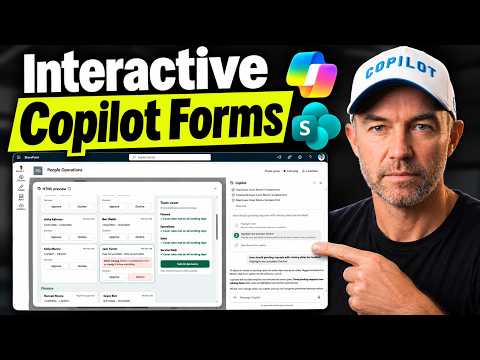
Interactive Forms in SharePoint: Let Copilot Build the Interface for the Job
Copilot in SharePoint can now build an interactive form over the top of a list or library. You give it the job and the rules, work in the form and approve the update, with the three-part prompt and the skill that reuses the form on a second list.
13 November 2026 · 8 min read
Fable 5.2 in Copilot Cowork: An Explainer Video From One Brief
One brief, Fable 5.2 at maximum effort, and a finished 70-second explainer with a storyboard, a voiceover script and a muted cut. Here's the full brief, so you can write your own.
13 November 2026 · 11 min read
Turn a SharePoint Document Library Into an App With HTML Views and Autofill
126 documents nobody had read, and one screen that shows where the risk sits. How I set up the library, got autofill to read every file and had Copilot in SharePoint build the views on top.
10 November 2026 · 12 min read
Your SharePoint List Can Be an App: Build a Multi-Tab HTML View
One HTML view, four tabs, summary cards and a chart you can click, all sitting on the list itself. How I designed the list, briefed Copilot in SharePoint and refined the view one change at a time.
9 November 2026 · 7 min read
SharePoint HTML List Views: Turn a List Into a Live Dashboard
Your lists and libraries can now have interactive HTML views, built by Copilot in SharePoint and sitting right next to All Items. Five scenarios with the prompts, and how to plan around the editing limit.
7 November 2026 · 7 min readSharePoint Tools in Work IQ: What Copilot Chat and Your Agents Can Now Build
SharePoint tools in Work IQ bring the abilities of Copilot in SharePoint to Copilot Chat and the agents you build. I handed over SharePoint work to see what comes back, and when building takes a sentence, the job shifts to deciding what should exist.
5 November 2026 · 7 min read
The New Microsoft 365 Copilot Interface: Chat, Cowork, Code, Workspaces and Projects
Copilot has a new layout, and it's changed where a lot of things live. I walk through Chat and Cowork in the one box, Copilot Code, Workspaces and Projects, and how I'd decide which one a piece of work belongs in.
3 November 2026 · 11 min readHow to Turn Off Copilot in Word, Excel, PowerPoint and Outlook
Turning Copilot off depends on how you sign in. On a personal account it's a checkbox in each app. On a work account that checkbox doesn't exist, and the real off switches sit with IT. This covers every off switch, for users and admins, with what each one takes away and the order I'd use them in.
2 November 2026 · 12 min readWhere Is Copilot in Word, Excel and Outlook, and Why Can't I See It?
Copilot moved in 2026. In Word, Excel and PowerPoint it's now a button in the corner of the document, and some work accounts lost it altogether in April. This covers where Copilot sits in each app now, how to read your licence label, and the fixes for a missing button.
2 November 2026 · 12 min read
How to Share a Copilot Studio Skill (and What Happens When You Delete It)
A skill you build in Copilot Studio can now be shared like a file. I shared one with a second user, followed it into their agent, Copilot Cowork and Copilot in SharePoint, then deleted it to see what stayed behind.
30 October 2026 · 8 min read
How to Build a Contract Redline Agent in Copilot with One Skill
One skill, with a playbook and a few Python scripts, turns a Copilot agent into a first-pass contract reviewer that marks up the Word document the way a colleague would. Then the same zip runs in Copilot Cowork and edits the contract in place in SharePoint.
29 October 2026 · 8 min read
How Copilot Skills Run Python Scripts and Reference Files
Most Copilot skills are a single SKILL.md file. A skill is a folder, though, and in Agent Builder it can carry Python scripts that do the exact work and reference files Copilot reads only when it needs them.
28 October 2026 · 9 min read
How to Build an AI Account Research Engine in Microsoft Lists
I built an account list where one click researches the company, matches it against the services on offer and writes the brief you'd want before the first conversation. It runs on Copilot in SharePoint, the Apify plugin, a site skill and a quick step.
26 October 2026 · 9 min readYour Staff Don't Need Agents Explained. Start With Work They Can Check.
Leaders are talking about agents while plenty of staff are still unsure what AI they're allowed to use. Survey data shows how wide that gap is, and why one small win in a file someone already has open beats another explanation of agents.
24 October 2026 · 6 min read
Copilot Code: I Built a SharePoint CRM and Tested It Like a Real User
Copilot Code planned the SharePoint back end, built a working CRM on top for 5,415 credits, then fixed the gaps I found when I used it like a salesperson would. It's still in preview and not published.
23 October 2026 · 7 min read
Copilot Agent vs Copilot in Word: Do You Need to Build an Agent?
"Can Copilot or an agent fill out this Word doc for me?" is one of the most common requests I get. For a lot of them, the answer is Copilot in Word with a referenced spreadsheet, no agent required. How the two compare, and the four questions I ask before building an agent.
19 October 2026 · 6 min read
How to Turn Existing Documents into a SharePoint Knowledge Base with Copilot
I gave Copilot in SharePoint 30 HR, IT and onboarding documents and had it plan, build and maintain a knowledge base from them: interlinked pages organised by topic, a new document filed where it fits, and pages refreshed when a source changed.
17 October 2026 · 7 min read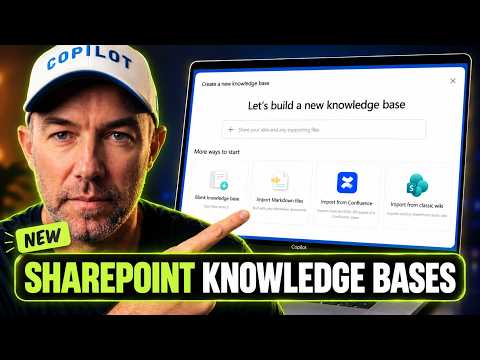
How to Create a Knowledge Base in SharePoint (First Look)
SharePoint knowledge bases are connected markdown pages your team can read and Copilot can work from. A hands-on first look at creating one, importing a folder of markdown and using page properties, while it's still in Frontier preview.
16 October 2026 · 8 min read
How Work Really Gets Done vs What's Written Down
Every process has two versions: the one in the SOP and the one your team actually runs. Copilot Cowork can now read both, show you where they differ, and help you fix the record.
10 October 2026 · 7 min read
How to Move a Policy Review from Copilot Cowork to Copilot in SharePoint
A policy review that used 248 Copilot Credits a run in Cowork never left one SharePoint site. I moved it into Copilot in SharePoint with one prompt, a brand skill and a site skill anyone on the site can run.
9 October 2026 · 8 min read
Extract, Merge and Share PDF Pages with One Prompt in Copilot in SharePoint
Copilot in SharePoint can now pull pages out of two PDFs, merge them into a new file and share it read-only, all from one prompt. Here's how it handles the job, and why the approval step matters.
6 October 2026 · 5 min read
Why Your SharePoint Policies Should Be Interactive HTML Pages
Most policies are written to be read, but people only want an answer. SharePoint HTML pages let a policy become a tool that gives one, and Copilot in SharePoint can still reason over the same page.
4 October 2026 · 6 min read
Build a SharePoint Homepage in Claude Design and Upload It as an HTML Page
You can design a page in a tool like Claude Design, upload the HTML file to SharePoint, and it runs as a native SharePoint page you can edit, publish and even set as your site homepage.
1 October 2026 · 5 min read
Connect Xero to Copilot in SharePoint with Plugins and MCP
Plugins let Copilot in SharePoint call tools in other business systems. I used the Xero plugin with sample data to build an aged receivables list and dashboard, then saved the whole process as a site skill and ran it again from empty.
23 September 2026 · 7 min read
GPT-6 Astra Computer Use in SharePoint: I Let It Build a Site
I worked through a supplier management design with GPT-6 Astra in ChatGPT Work, then handed it the site URL and let computer use build the whole structure in SharePoint. Here's what it created, how long it took and what I checked.
22 September 2026 · 7 min read
SharePoint Autofill Columns: Let Your Library Fill In Its Own Metadata
Autofill columns read each file that lands in a SharePoint library and write the answer into the column for you, no Copilot chat needed. Here's how I set them up on an invoices library, and what I'd decide before writing a single prompt.
22 September 2026 · 8 min read
SharePoint HTML Pages: What They Are and How to Create Them
HTML in SharePoint used to mean a file preview. Now an HTML file can be a proper page in your site, with the header, navigation and edit mode around it. This covers how they work, how to create one and the four things I'd settle before you switch them on.
16 September 2026 · 6 min read
I Built a SharePoint CRM with Copilot Cowork's App Builder
Copilot in SharePoint built the lists, Cowork's App skill built the app on top, and the whole thing took a little under an hour with a few rounds of fixes. It's close to pilot-ready, and the running costs still need measuring.
11 September 2026 · 6 min read
How to Add Skills to Copilot Agents in Agent Builder
I had a separate Copilot agent for every part of a project's reporting. With skills in Agent Builder, those agents became skills inside one project manager agent, and the dashboard skill now pulls in a shared design skill on its own.
10 September 2026 · 7 min read
Why Can't Copilot Find My SharePoint Documents? Five Causes and Fixes
When Copilot can't find your SharePoint documents, or finds half of them, the cause is usually access, search settings, indexing or a library with no metadata. Here's how to check each one, using a contracts library I tested with and without columns.
27 August 2026 · 7 min read
The Real Purpose of Copilot in SharePoint, with Microsoft's Zach Rosenfield
I sat down with Zach Rosenfield from Microsoft's SharePoint product team to talk about what Copilot in SharePoint is for. His answer: a doer that sits on top of your document repository, with the business logic living next to the content.
21 August 2026 · 8 min read
Generate SharePoint Documents from a Template with Copilot
SharePoint can turn a Word template into a form that generates finished documents. I had Copilot in SharePoint build the form, fill it from a chat prompt, then wrapped the whole thing in a site skill that asks the questions for you.
18 August 2026 · 7 min read
How to Use Comments with Copilot in SharePoint: List Items and HTML Files
Copilot in SharePoint can read comments on HTML files, Markdown files and Microsoft List items. I used both sides of that: a blocked items dashboard that shows each item's comments as a timeline, then review comments on the dashboard that Copilot applied in one go.
12 August 2026 · 6 min read
Contextual Copilot Buttons in SharePoint: One Button, a Different Report for Everyone
The Button web part's Open Copilot in SharePoint action runs a saved prompt as the person who clicks it. Write the prompt in the first person and one button on a page gives every user their own report, scoped to their work and their permissions.
11 August 2026 · 6 min read
Personal Skills in Copilot in SharePoint: Your Own SKILL.md in OneDrive
Site skills are for the team. Personal Skills are the ones only you run, saved as a SKILL.md file in your own OneDrive and available wherever you use Copilot in SharePoint.
9 August 2026 · 5 min read
Build a Live Dashboard from a Microsoft List with Copilot in SharePoint
Copilot in SharePoint can build an HTML dashboard that stays linked to the Microsoft List behind it, launch it from a button on a page, and save the prompt as a skill the whole site can use. The three stack, and together they turn a one-off report into something a team runs every week.
7 August 2026 · 6 min read
What Copilot in SharePoint Can Actually Do: Every New Feature Tested
Copilot in SharePoint has moved well past answering questions about a site. I tested every feature in the July 2026 update, from creating Office files to setting up approvals, and here's what it did and where I'd put the guardrails.
20 July 2026 · 7 min read
How to Build a Compliance Check with Copilot in SharePoint Skills
I built a compliance gate for Statements of Advice with two Copilot in SharePoint skills and a tracking list. The first skill checks every new SOA for the disclosure statement and authority to proceed, the second re-checks and clears it to send. No code, no Power Automate.
18 July 2026 · 7 min read
Can You Use Claude Skills in SharePoint? I Tested Anthropic's Design Skill
People tell me SharePoint skills lack the creative flair of Claude's. So I downloaded Anthropic's frontend design skill, dropped it into a SharePoint site and asked Copilot for an event page from a plain Microsoft List.
6 July 2026 · 6 min read
Copilot Cowork Pricing: What Each Model Actually Costs
How Copilot Cowork is billed, which models are in the picker now, and what my tests showed when I ran the same task on different models and watched the credits.
23 June 2026 · 11 min read
Copilot Cowork Tutorial: How to Start Delegating Real Work
Copilot Cowork is where Microsoft 365 Copilot stops chatting and starts doing whole jobs for you. I handed it seven jobs in about 20 minutes, from planning my week to a scheduled morning briefing, with nothing to connect first.
4 June 2026 · 8 min read
Why Does Copilot's Writing Sound Generic? Four Causes and Fixes
Copilot writing that could have come from any company usually has one of four causes. Here's the check and the fix for each, from a Write Like Me skill built in Copilot Cowork from my sent emails to a review agent that edits the Word document for you.
3 June 2026 · 8 min read
How to Build a Dashboard from Raw Data with Copilot Cowork
I gave Copilot Cowork 22 files of ticketing data and call transcripts from a SharePoint library, plus a design file for the brand. It came back with an interactive dashboard, commentary included, and fixed its own bugs before handing it over.
15 May 2026 · 7 min read
How to Make On-Brand PowerPoint Decks with Copilot Cowork and a DESIGN.md File
The workflow I use for branded decks in Copilot Cowork: a markdown design file that holds the brand, your content as the source, one prompt, then an interview to write the design file and a skill so you never upload it again.
14 May 2026 · 7 min read
What Is SHAREPOINT.md? The File That Gives Your SharePoint Site a Brain
SHAREPOINT.md is one markdown file that Copilot in SharePoint reads at the start of every conversation on your site. Write your libraries, naming conventions and rules into it once, and every user on the site gets them.
27 April 2026 · 9 min read
What Are SharePoint Skills and How Do You Build One?
A SharePoint skill is an SOP for AI: write the process down once, save it on the site, and Copilot in SharePoint runs it the same way for everyone on your team. Here's how skills work now, how I build them, and when I'd use something else.
20 April 2026 · 8 min read
How to Automate Invoice Processing in SharePoint with Power Automate and Copilot
Invoices arrive in a shared mailbox, Power Automate drops them into a SharePoint library, autofill columns pull out the details, and a Copilot in SharePoint skill reconciles them against purchase orders. The whole accounts payable flow I built, step by step.
25 March 2026 · 8 min read
How to Create, Query and Format a Microsoft List with Copilot in SharePoint
I gave Copilot in SharePoint a clients spreadsheet and asked it for a list. It built the columns, converted the dates and added all 10 records, then answered questions, updated a record and formatted the list, all from the chat pane.
25 March 2026 · 7 min read
How to Turn Copilot Chat into Your Outlook Email Assistant
Two Copilot Chat features that save the copy and paste: finding a meeting time and sending the invite, and drafting an email you can edit and send without opening Outlook.
20 March 2026 · 6 min read
Deploy a SharePoint Term Store from Excel with Claude Code
I gave Claude Code a spreadsheet of document types and asked it to build the SharePoint term store from it. It got there, with a few wrong turns, while I did other work.
3 March 2026 · 5 min read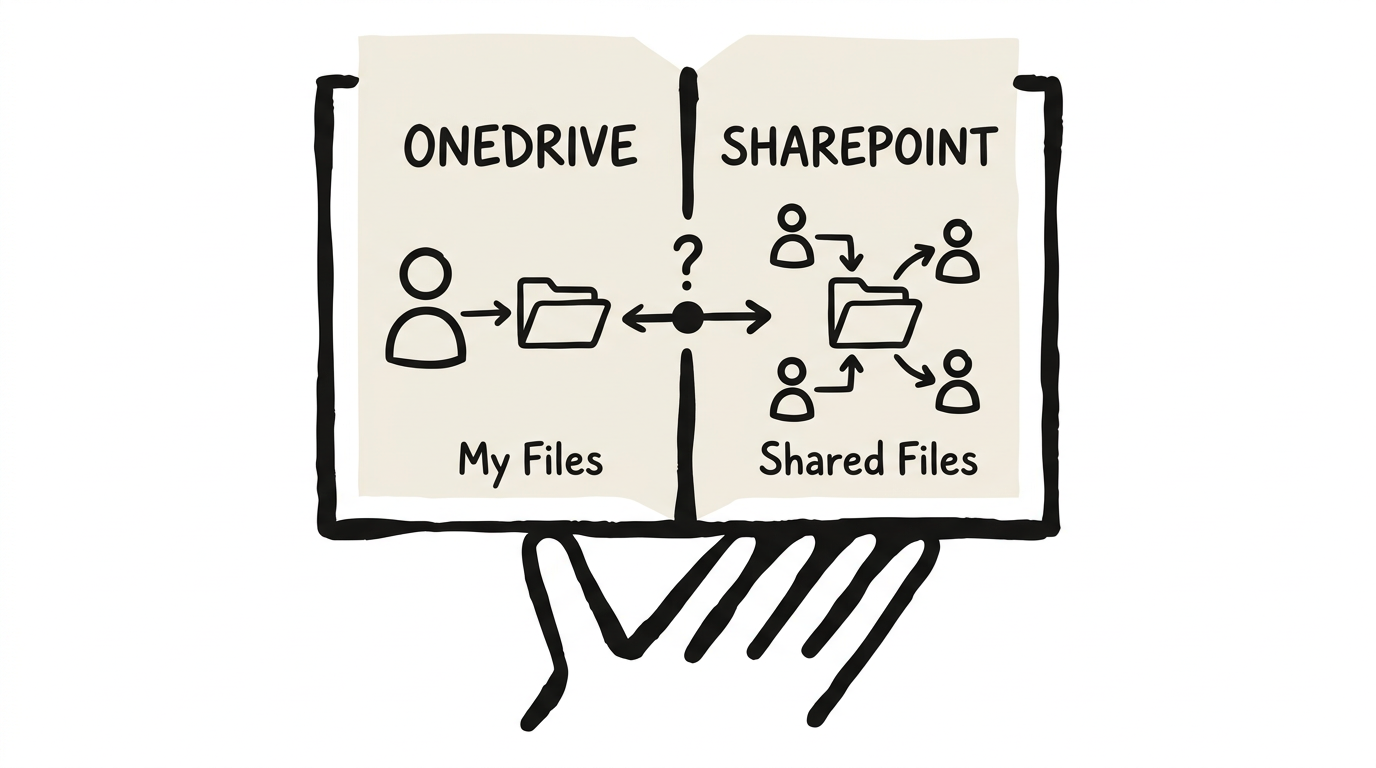
OneDrive vs SharePoint: The Complete Guide to What to Use When
OneDrive and SharePoint both store files in Microsoft 365, but using the wrong one costs organisations real time and productivity. Here's a practical framework for deciding what goes where.
2 March 2026 · 14 min read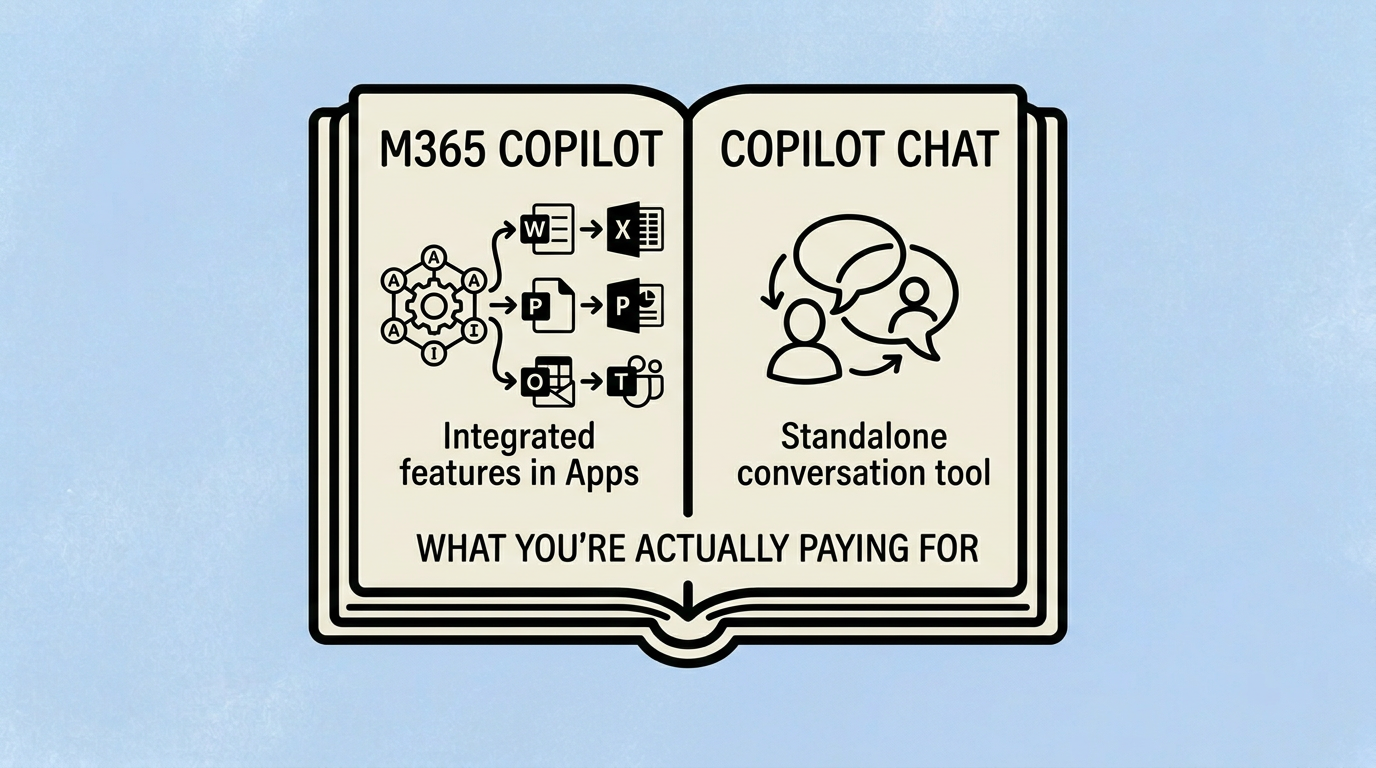
Microsoft 365 Copilot vs Copilot Chat: What You're Actually Paying For
A practical breakdown of Copilot Chat and Microsoft 365 Copilot. What's included free, what the US$30 licence adds, what the Basic and Premium labels mean, and who actually needs a licence.
1 March 2026 · 12 min readWhy Your SharePoint Needs an Information Architecture Before AI
Most organisations skip information architecture and jump straight to Copilot. Here's why the results disappoint, and the three foundations to fix first.
1 March 2026 · 6 min read
Claude Skills vs Copilot Agents: I Built the Same Assistant in Both
Anthropic calls them skills, Microsoft calls them agents. Both package up instructions for a repeatable job. I gave each the same description and the same meeting, compared the results, and the differences that decide which to use turned out to be about where your work lives.
26 February 2026 · 5 min read
What Are SharePoint Quick Steps? Saved Copilot Prompts as Library Buttons
A quick step is a saved action that sits in a SharePoint library as a button. Save a Copilot prompt as one and anyone in the library can run it over the files they select, without writing a prompt or leaving SharePoint. I built a subcontractor compliance check across five documents to show how it works.
9 February 2026 · 7 min read
Copilot Agent Mode vs Claude in Excel: The Same Dashboard Test
Same workbook, same prompt, two agents. Claude built an executive dashboard straight away, Copilot asked questions first, and both needed a human to check the result.
3 February 2026 · 7 min read
What Is a Copilot Agent Registry? An Agent of Agents Grounded in SharePoint
An agent registry is a single Copilot agent, grounded in a SharePoint library with one structured document per agent, that people ask which agents exist and which one suits their job. Here's the document template, how I built it in Agent Builder and how it differs from Microsoft's own Agent 365 registry.
15 January 2026 · 7 min read
Does Copilot in SharePoint Read Content Type Hub Metadata? I Tested It
I get asked whether Copilot in SharePoint can see the columns that come from content types published through the Content Type Hub. I tested a library with its own columns against a library using a hub content type, and it answered from both.
13 January 2026 · 6 min read
Claude in Chrome on SharePoint: I Tested It on Document Libraries
I installed Claude's Chrome extension and pointed it straight at SharePoint. It filtered libraries, kept its context between them, and learnt to create a document library from my own walkthrough.
24 December 2025 · 7 min read
I Used Claude Code to Find and Delete 408 Duplicate Files
I pointed Claude Code at a folder full of copied images and had it find the duplicates, verify them, delete them and log every file it removed. It wrote all the PowerShell itself and finished with 408 files gone and no errors.
23 December 2025 · 5 min read
How to Set Up the Confluence Connector for Microsoft 365 Copilot
The Confluence Cloud connector brings your Confluence pages into Microsoft 365 search, Copilot and your Copilot agents. Here's the full setup from the admin center, including the Atlassian OAuth app, and the settings I'd check before anyone sees the results.
20 December 2025 · 7 min read
Copilot Researcher for Legal Research: I Tested It on a Paralegal Task
I gave Microsoft 365 Copilot's Researcher agent a paralegal's research brief for a software licensing dispute. It came back with a structured memo and a source list in a few minutes. Here's what it did well and what you still have to check yourself.
20 December 2025 · 6 min read
10 Copilot Prompting Rules That Get Better Answers
Copilot prompting rules are the habits that turn a vague request into a proper brief. These are the ten I teach when I'm rolling Copilot out, each with an example prompt, plus how to work with Copilot over several rounds instead of hoping one prompt lands.
18 December 2025 · 8 min read
How to Build a Copilot Agent Grounded in a SharePoint Library
I built a resume screening agent over a library of 80 resumes in under six minutes, with Copilot writing the instructions for me. Here are the steps, plus how I bring several agents into one chat and where Microsoft's prebuilt agents fit.
11 December 2025 · 7 min read
How to Make Copilot Agents Create Branded Word Documents
Can a Copilot agent create a Word document on your letterhead, with your styles? It can, and the setup is three things in Agent Builder.
26 November 2025 · 6 min read
Turn SharePoint into a Copilot Knowledge Base with Metadata
Copilot can reason over the custom metadata in your SharePoint libraries. Give a library the right columns and it becomes a knowledge base you can question in plain English, through Copilot in SharePoint or an agent of your own.
11 November 2025 · 4 min read
Building a feedback app with the Microsoft 365 Copilot App Builder agent
I built an ideas and voting app with the App Builder agent from one prompt and a handful of follow-ups. The agent is on its way out, but what it taught me about SharePoint list back ends carries straight into Copilot Cowork.
29 October 2025 · 6 min read
Let people upload documents and metadata to SharePoint with library forms
Document library forms give people a simple page to upload a file and fill in its columns, without access to the site. I set one up for a permits library, and the file landed in SharePoint with every column filled in.
27 October 2025 · 6 min read
Claude, Firecrawl and Copilot Studio: I Built a Web Scraping Agent
I switched a Copilot Studio agent to Claude, gave it a Firecrawl custom connector for scraping and the Email Management MCP server for sending, and asked it to report on six months of FDA safety alerts. Three lines of instructions got me two formatted HTML emails.
20 October 2025 · 7 min read
How to Publish to SharePoint, Teams and Outlook at Once with Viva Amplify
I built a Viva Amplify campaign from scratch to announce Microsoft 365 Copilot, drafted the brief and the first publication with Copilot, tailored it for each channel and published it to a SharePoint site, a Teams channel and Outlook in one go.
6 October 2025 · 7 min read
How to Create a Newsletter in Outlook with Outlook Newsletters
New Outlook has a full newsletter tool built in that most people don't know about. You can create a newsletter, build editions from templates, bring in contributors, let people subscribe and see who's reading, all without leaving Outlook.
29 September 2025 · 4 min read
SharePoint Check Out vs Co-Authoring: Which Should You Use?
Co-authoring is the default in SharePoint, and for most documents it's the right one. For policies and other controlled documents, check out and check in give you one editor at a time and a note in version history for every change.
22 September 2025 · 6 min read
How to Use a SharePoint Agent in Microsoft Teams
You don't have to be in SharePoint to use an agent you built there. Copy its link for Teams, add it to a channel, and the whole project team can @mention it in the conversation they're already having.
19 September 2025 · 7 min read
SharePoint Alerts Are Retired: How to Set Up Rules Instead
SharePoint Alerts have gone from SharePoint Online. Rules do most of what people used alerts for, anyone with Contribute access can set them up, and they take a minute each.
15 September 2025 · 7 min read
SharePoint Folders vs Metadata: Why Columns Make Documents Easier to Find
Folders make someone decide where a document lives. Metadata describes what it is, so you can filter, save views, send review reminders and run approvals from the same library.
28 August 2025 · 6 min read
How to Add a SharePoint Page as a Tab in Teams (and Retire Your Folder Shortcuts)
If your team keeps Windows shortcuts in folders to find things, build them a links page in SharePoint and pin it as a tab in the channel they already work in.
5 August 2025 · 5 min read
How to Build a Project Template in SharePoint With Document Sets
Default content in a document set gives every new project the same folders and template documents, already tagged with the right content type. I walk through the setup, then show how a Microsoft List can create the document set for you with Power Automate.
15 April 2025 · 7 min read
How to Set Up Document Approvals in a SharePoint Library
SharePoint libraries have approvals built in. Turn them on with Configure approvals, and every document gets an Approval status column and a button to request sign-off, with approvers responding in Teams. Add a quick step and you can send documents through two approvers in order.
7 February 2025 · 7 min read
How to Use Copilot to Write SharePoint Column Formatting JSON
Column formatting JSON is fiddly to write by hand: quotes, curly brackets, nested if statements. Copilot Chat will write it for you if you describe the look you want, and you fix it by telling Copilot what the preview shows. Here's the process, the prompt that got it unstuck in my demo, and a clean version of the JSON.
12 November 2024 · 6 min read
What Is a SharePoint Document Set and When Should You Use One?
A document set groups related documents into one container that carries its own metadata, controls what can go inside it and can push values down to every file. I set one up for meetings to show how it works, and when I'd pick a folder or a separate library instead.
27 October 2024 · 7 min read
How to Use Copilot with Your SharePoint and OneDrive Files
Copilot works with your files in three ways: on files you select in a library, on files you reference in a chat, and by finding files for you. Here's how each one works today, what's changed since my 2024 videos, and how to get better answers from your files.
16 October 2024 · 6 min read
How to Add Metadata Columns to a SharePoint Document Library
A beginner's walkthrough of metadata in a SharePoint document library: which column types to use, how to tag files one at a time or in grid view, how to set default values so people don't have to, and how to turn the columns into filters, groups and saved views.
15 July 2024 · 7 min read
How to Create an SOP with Copilot from a Recorded Process
Record someone doing the job once, and Copilot in Word can turn the transcript into a structured procedure in a few minutes. Here's the prompt I use, the steps, and what has to happen before and after Copilot.
1 July 2024 · 7 min read
How to Create Custom Page Templates in SharePoint
A page template lets you lay out a SharePoint page once and have every new page on the site start from it. I cover how a page is put together, how to save, edit and set a default template, and the details I'd build into every one.
6 March 2024 · 9 min read
How Custom SharePoint Search Pages Work: Crawled and Managed Properties Explained
A custom search page lets people search one list or library and filter it by your own columns, which views can't do at scale. The filters depend on how SharePoint turns a column into a crawled property and then a managed property, so I explain that first and then map a column step by step.
3 January 2024 · 9 min read
How to Use Lookup Columns and Connected Web Parts in SharePoint
A lookup column lets a document library pull its values from a master list, like vendors or clients. Add dynamic filtering on a page and selecting an item in the list filters every library web part next to it, with no code.
30 December 2023 · 7 min read
How to Connect a Copilot Studio Agent to SharePoint
In Copilot Studio you add a SharePoint site as knowledge, and the agent answers from it on behalf of whoever is asking. Here are the current steps, what's changed since I recorded this in 2023, and when I'd reach for Copilot Studio instead of a SharePoint agent or Agent Builder.
29 November 2023 · 7 min read
How to Show Different News in Different Places with the SharePoint News Web Part
Every news post on a site lands in one Site Pages library, so one Choice column is all it takes to split that news into separate feeds. I set up company news and blog posts as two News web parts on an intranet home page, then used news links to bring a deck and a video into the same feeds.
1 August 2023 · 8 min read
SharePoint Team Site vs Communication Site: Which Should You Use?
Team sites and communication sites are both SharePoint, with libraries, pages and news. The difference is who the site is for: a team site is a workspace for its members, and a communication site broadcasts to everyone else.
26 July 2023 · 7 min read
SharePoint News by Email vs Outlook Newsletters vs Viva Amplify: Which Should You Use?
SharePoint can already email your news, either as a digest of several posts or as one post in full. Outlook Newsletters and Viva Amplify do more, and Amplify costs more. This covers how the SharePoint options work and which of the four I'd use for each kind of internal newsletter.
18 July 2023 · 9 min read
How to Build an Employee Directory in SharePoint with PnP Modern Search
Build a people directory in SharePoint with the free PnP Modern Search web parts, and get a search box, a department filter, profile cards on hover and department pages that list their own team automatically.
12 June 2023 · 8 min read
How to Set Folder Permissions in a SharePoint Document Library
Every folder in a SharePoint library inherits its permissions from the library and the site. To lock one down, you stop inheriting, remove the groups that shouldn't be there and grant access directly. Here are the steps, how to check who has access, and why I keep folders with unique permissions to a minimum.
10 June 2023 · 7 min read
How to Build a Personalised SharePoint Intranet Home Page
A good intranet home page shows people what's relevant to their role instead of everything at once. I build one from a blank communication site with standard web parts, then use audience targeting on the news, links and navigation so different people see different content.
26 April 2023 · 10 min read
New Outlook for Windows Features Worth Using: Pinning, Search, Categories and My Day
I showed five features of the new Outlook for Windows in 2023. Four are still there and worth setting up: pinned emails, filtered search, categories in Favorites and To Do in the My Day pane. The fifth, calendar Boards, was retired two months after I recorded it.
20 April 2023 · 5 min read
How Teams and SharePoint Work Together: Where Your Teams Files Actually Live
Teams is the front end and SharePoint stores the files. Every team gets a Microsoft 365 group and a SharePoint team site, every standard channel gets a folder in its Documents library, private and shared channels get sites of their own, and files shared in chats go to the sender's OneDrive.
29 January 2023 · 7 min read
How to Build a Tools and Apps Dashboard in SharePoint
A tools dashboard puts every app, system and shortcut people need on one SharePoint page. I build the catalogue as a Microsoft List shown in gallery view, and use the Quick links web part for the short list of things people click every day.
27 December 2022 · 8 min read
How to Post Microsoft Forms Responses to Teams with Power Automate
One Power Automate flow can take every Microsoft Forms response, post it to a Teams channel, add a follow-up task in To Do and log it in a Microsoft List. Here are the current trigger and action names, the steps, and what I'd check before building it.
20 May 2022 · 7 min read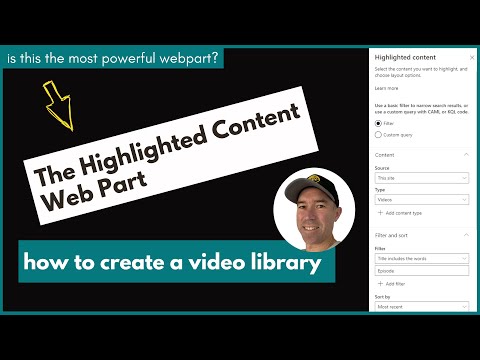
What Is the SharePoint Highlighted Content Web Part and How Does It Work?
The Highlighted content web part shows content on a page by rule instead of by hand: every video in a library, every page tagged Christmas, every info sheet. Here's how it finds content, the filters that matter, and when I'd use something else.
17 August 2021 · 8 min read
How to Create an FAQ Page in SharePoint with Collapsible Sections
Collapsible sections turn a long SharePoint page into a list of questions people can open one at a time. I build an FAQ page with them step by step, cover the settings that have changed since I first recorded it, and explain how I'd keep the page useful once it's live.
5 August 2021 · 7 min read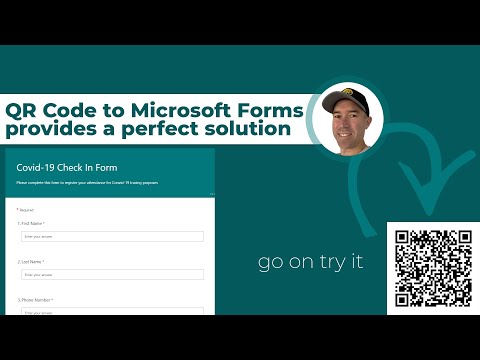
How to Create a QR Code for a Microsoft Form
Microsoft Forms has its own QR code, so you don't need a generator website to put a form on a poster, a table or a slide. Here's how to get it, how to show a form live in PowerPoint, and what to decide before you print anything.
2 December 2020 · 5 min read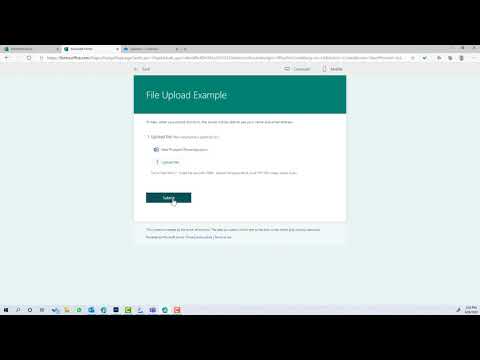
Where Do Microsoft Forms File Uploads Go?
Microsoft Forms saves uploaded files in one of two places, depending on who owns the form. Here's where each one goes, who can open them, what happens when you move a form to a group, and why I make upload forms group forms from the start.
10 August 2020 · 7 min read
How to Create a Poll in Outlook with Microsoft Forms
Outlook can put a one-question poll straight into an email, and people vote without leaving their inbox. It runs on Microsoft Forms. In 2020 you added it as the Quick Poll add-in; today it's a Polls button on the ribbon. Here are the steps for each version of Outlook and what to check first.
2 March 2020 · 5 min readGet these in your inbox. Three emails a week.
Practical thinking on organising your information and getting real work out of AI. Subscribers get the free SharePoint Skill course to start.